⚡ TEXT → VIDEO
Paste an article
Get a video.
✦ AI SLIDES
SLIDE_03.NARRATION
AI WRITTEN
Every code-based slide…
renders pixel-perfect at any size,
crisp text, real charts.
⏱ 6.2s · 18 words · paced for narration
12 THEMES + STICKMAN MODE
Midnight
Forest
Magenta
Ember
Glacier
Stickman
PRESENTATION · ILLUSTRATION2 MODES
AI ASSETS
Stock + AI generatedAuto-placed from your script
★ BEAT-SYNC ENGINE
Words land on the beat — every animation cued to narration.
REAL DATA VIZ
Charts that animate themselves.
ENGAGEMENT BOOST
+123112118479352842791364%
VIDEO vs STATIC POSTS
YOUTUBELINKEDINTIKTOK
8 AI VOICES · MULTI-LANGUAGE
Aria · EN
Hiro · JP
Mei · ZH
Liam · EN
VOICEOVER · SYNCED TO ANIMATION
▶ NARRATING00:42 / 01:00
EXPORT · MP4 · 1080p
MP4
how-ai-changes-content.mp4
1920×1080 · 60s · H.264
RENDERING100%

Turn Any Article or Script Into an Animated Explainer Video

Paste your blog post, article, or script. AI generates animated slides with synced voiceover and exports as MP4 — in minutes.

Length:
AI Slide Generator

Generate animated slides with AI — from any text

Article to slide breakdown

AI reads your blog post, article, or script and breaks it into an animated slide presentation with a voiceover plan for each slide.

12 AI slideshow themes

Each theme is a complete design system — typography, color, layout logic, and animation style. Choose the visual language that fits your content.

AI asset generation & sourcing

AI finds photos and icons from free libraries or generates custom assets. Upload your own brand visuals for SaaS explainer videos and product demos.

AI voiceover synced to slides

Pick from multiple AI voices. Narration syncs to animation beats — words appear on screen as they're spoken.

Never settle — unlimited choices

AI generates multiple animated layouts for every slide. Pick the one that fits, or regenerate until it's exactly right.

Stickman animation — AI illustration mode

AI-drawn watercolor characters and objects in a consistent stick figure animation style. Like a whiteboard animation, fully automated from your script.

Convert blog to video in minutes

Paste your content, pick a theme, and export. No timeline editing, no keyframes, no video editing skills needed.

A
ع
É
Я
ה

Create presentations in any language

Text-to-video works with English, Chinese, and more. AI voiceover supports multiple languages for global content repurposing.

Start Creating for Free →
Why Animated Explainer Videos

Why animated explainer videos outperform every other format

Animated slides do what talking heads and stock footage can't — show complex ideas clearly. Data builds on screen. Key words land on beat. Every element is timed to narration.

That's why SaaS companies, educators, and content creators use animated explainer videos to teach, sell, and convert. The problem was always cost — $5,000 and weeks of After Effects work. GreenOnion Video generates them from your text in minutes.

Pixel-based AI video
Sora, Runway, Pika
△ Text is blurry and unreadable
△ No control over layout or timing
△ Can't show data, charts, or code
△ Every render is different
△ Resolution degrades on zoom
Template-based slideshow
Canva, Lumen5, InVideo
△ Locked into preset templates
△ Same look as everyone else
△ Limited animation capabilities
△ Manual layout adjustments needed
△ Audio added separately
Code-based animated slides
GreenOnion Video
Crisp text at any resolution
AI plans layout, timing, and motion
Real data viz, charts, infographics
Deterministic — same input, same output
Voiceover synced to animation beats

Code-based rendering means every slide is built from real HTML, CSS, and JavaScript — the same technology behind professional motion graphics. The result looks like it was made in After Effects, but takes minutes instead of weeks.

Try it free — paste your text above
Explainer Video Animation

Code-based animated slides — crisp, precise, pixel-perfect

GreenOnion Video renders real code into animated presentations with precise typography, real data layouts, and beat-synced voiceover. 12 presentation themes plus a stickman animation mode for whiteboard-style illustrated explainers.

Article to video in minutesAI slide generatorStickman animation modeBeat-synced voiceoverExport MP4 for YouTube
Text to Video AI

From article to animated video — AI handles every step

Paste your content, review the AI-generated plan, pick a visual style, and export. Full creative control, zero editing skills.

30s
1 min
2 min
Create Video →

Convert any article or script to video

Paste a blog post, article, newsletter, or script. Choose your target video length — from 30 seconds to 5 minutes. The AI text-to-video engine takes it from here.

Choose your video style
Presentation
12 themes · Data viz · Charts
Stickman
Watercolor · Whiteboard style

Presentation mode or stickman animation mode

Two video styles built for different content. Presentation mode for data-driven explainer videos with charts and layouts. Stickman animation mode for whiteboard-style illustrated explainers with AI-generated watercolor characters and objects.

Narration Script
1
The Hook
Every time you pull to refresh, you're pulling a slot machine lever.
2
Variable Rewards
The algorithm optimizes for three emotions: outrage, novelty, comparison.
3
The Dopamine Loop
Your brain releases dopamine not from the reward — but from anticipating it.
4
Breaking Free
Awareness is the first step to reclaiming your attention.
Visual Plan
Hook question as hero text with phone visual
Three emotion words stacking with accent colors
Brain diagram with animated dopamine pathway
Resolution visual with clean exit metaphor

AI generates your video script and storyboard

AI breaks your content into an animated slide presentation — writing a voiceover script for each slide and planning what appears on screen. Review, edit, reorder — nothing generates until you approve.


Choose an image
✦ AI sourcing...
AI sourced asset for animated slide

Smart asset sourcing for every slide

AI suggests photos and icons from free libraries — or generates custom assets on demand. Upload your own brand visuals for consistency. Every asset is placed automatically by the layout plan.

Pick a visual style
Midnight Press
Warm Keynote
Terminal
Notebook
Whiteboard
Neon
Pastel Pop
Zen
Data Dashboard
Retro
Organic
Blueprint

12 presentation themes — complete design systems

In presentation mode, choose from 12 visual styles for your AI slideshow. Each theme controls typography, color palette, layout logic, and animation style. Not a template — a complete design language.

Choose a voice
Charon
Deep, authoritative
Kore
Warm, conversational
Puck
Energetic, upbeat
Fenrir
Calm, measured
Select a voice to preview

Choose a voice and generate audio

Pick from multiple AI voices tuned for narration. AI generates audio for each slide — words are timed precisely so animations can sync to every beat.

✓ Selected
Option 2

AI slide generator — 2 designs per slide

AI generates 2 animated explainer video layouts per slide with beat-synced animation. Pick your favorite or regenerate until it's perfect.

← Back
▶ PlayingExport
1 / 8

Preview and export as MP4

Watch your full animated presentation video with synced voiceover. Iterate on any slide, then export a pixel-perfect MP4 — ready for YouTube, LinkedIn, your website, or social media.

Start creating your first video →
Animated Explainer Videos

Real videos generated from articles and scripts

Every video below was created by pasting text into GreenOnion Video. No editing, no designer, no After Effects.

Stickman demo video
Stickman
Presentation demo video
Presentation
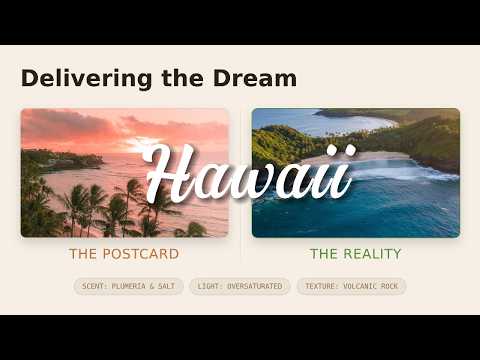
Travel demo video
Travel
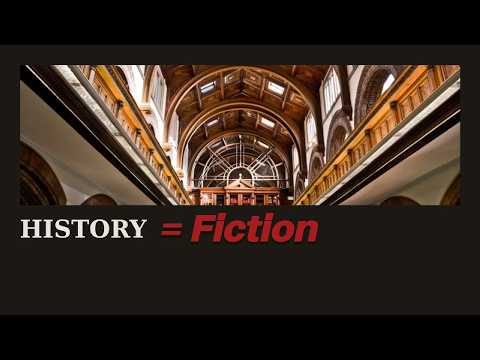
History demo video
History
Text to Video Comparison

Pixel-based AI video generators vs. code-based animated slides

❌ Pixel-Based AI Video

Blurry text, unpredictable layouts
No control over what appears where
Can't render data, charts, or tables
Resolution degrades on zoom
Template-locked aesthetics
Audio added manually after

✦ GreenOnion Video

Crisp text, precise layouts — engineered, not generated
Full control: edit plan, assets, every slide
Real charts, data viz, infographics
Pixel-perfect at any resolution
12 themes + stickman animation mode
Beat-synced voiceover, built in
See why creators switch to GreenOnion Video →
Content Repurposing

Turn every piece of content into an animated video

SaaS Explainer Videos

Turn product docs into visual walkthroughs with animated feature highlights and professional voiceover.

Blog Post to Video

Paste any blog post. Get a fully animated video with synced narration.

Educational Content

Turn dense text into visual, narrated explainers. Use stickman animation mode for whiteboard-style educational videos your audience actually watches.

in

Content Repurposing

One article becomes a YouTube video, social clip, LinkedIn visual.

Data Presentations

Reports that animate themselves. Charts build on screen, stats pop in on beat.

$

Product & Sales Videos

Turn product descriptions into animated sales videos for Amazon listings, Shopify stores, and product launches.

Results

What you can create with GreenOnion Video

Real outputs from real content — every video starts as plain text.

YouTube explainer from a blog post

Input: 2,000-word blog article
Output: 3-minute animated explainer video with synced narration
For: Content creators, bloggers

Product demo for a landing page

Input: SaaS feature announcement
Output: 90-second animated product walkthrough
For: SaaS marketers, product teams

Whiteboard explainer in stickman animation style

Input: Any topic or script
Output: Illustrated stickman video with watercolor characters and voiceover
For: Educators, YouTube creators

Social media clips from a newsletter

Input: Weekly newsletter edition
Output: 60-second animated recap for LinkedIn and Instagram
For: Social media managers, newsletter writers

Investor pitch from a deck script

Input: Pitch deck talking points
Output: 2-minute animated pitch with key metrics on screen
For: Founders, business development

Onboarding video from help docs

Input: Product documentation
Output: Series of animated how-to videos for new users
For: Customer success, support teams
Who Uses This

Built for creators, marketers, and educators who write — not edit video

Content Creators

You write scripts or long-form posts. You want video versions without learning Premiere.

Input: YouTube script
Output: Animated explainer with voiceover
6

SaaS Marketers

You need explainer videos but don't have the budget for a motion design agency.

Input: Product launch blog post
Output: Animated product demo

Educators

Your students learn better with visual, narrated content.

Input: Course module
Output: Animated video series

Small Business Owners

Turn product pages, service descriptions, and about-us copy into professional videos for your website and social media.

Input: Product description
Output: Animated product video

Social Media Managers

Repurpose existing content into video without a design team.

Input: Blog archive
Output: Short-form clips

Agencies

Scale your video output without scaling your team.

Input: Client brief
Output: Branded explainer video
Start free with 20 credits →See pricing
Pricing

Create animated explainer videos — starting at $19/mo

Start free with 20 credits (~2 videos). 1 credit = 1 slide generation. Audio, assets, and export are always free.

Starter
$19/mo
100 credits/month
~10 videos
~10-15 min of video
Unlimited exports & audio
Most popular
Pro
$49/mo
300 credits/month
~30 videos
~30-45 min of video
Unlimited exports & audio
Business
$149/mo
1200 credits/month
~120 videos
~2-3 hrs of video
Unlimited exports & audio

Start free with 20 credits (~2 videos). Credits reset each billing cycle. Cancel anytime.

FAQ

Common questions about AI text-to-video

Paste your blog post into GreenOnion Video. The AI text-to-video engine breaks it into animated slides, writes a voiceover script for each slide, generates audio with AI narration, and exports a finished MP4 with beat-synced animation — no video editing required.

Paste any article — a newsletter, product doc, or long-form post. GreenOnion Video's AI slide generator plans the visual layout, sources images, generates animated slides with motion graphics, and syncs AI voiceover to every animation beat.

GreenOnion Video is purpose-built for text-to-video explainer content. Unlike pixel-based AI video generators (Sora, Runway), it creates code-based animated slides with crisp typography, real data visualizations, and precise layouts — the kind of quality that previously required After Effects.

Yes. Paste your product description or feature doc, pick one of 12 AI slideshow themes, and GreenOnion Video generates a professional animated explainer video with synced voiceover — ready for your landing page, YouTube, or LinkedIn.

Content repurposing with GreenOnion Video takes minutes. Paste your blog post, choose a visual theme, and the AI creates an animated presentation video with narration. One article becomes a YouTube explainer, LinkedIn video, and social media clip.

GreenOnion Video's AI reads your text, breaks it into slides, plans visual layouts for each one, sources or generates assets, and renders animated slides with motion graphics. You pick from 12 design systems, choose an AI voice, and export as MP4.

Yes. GreenOnion Video replaces the After Effects workflow entirely. Paste your script, pick a theme, and the AI generates animated slides with motion graphics, transitions, and synced voiceover — exported as a pixel-perfect MP4.

Template tools like Canva and Lumen5 lock you into preset layouts. GreenOnion Video generates unique code-based slides for each project — every slide is built from real HTML, CSS, and JavaScript with custom animation, precise typography, and real data visualizations.

Yes. The AI suggests photos and icons from free libraries or generates custom assets. You can upload your own brand visuals for consistency. Every asset is placed automatically by the AI's layout plan.

The AI voiceover supports multiple languages including English and Chinese. The text input works with any language. Choose from several AI voices tuned for professional narration.

Stickman animation mode generates whiteboard-style explainer videos with AI-drawn watercolor stick figure characters and illustrated objects. Every slide uses a consistent illustration style — like a hand-drawn whiteboard animation, but fully automated from your script. Ideal for educational content, YouTube explainers, and storytelling videos.

GreenOnion Video starts at $19/month for 100 credits (~10 videos). Each slide generation uses 1 credit. AI voiceover, asset sourcing, and video export are always free. Start with 20 free credits — no credit card required.

Yes. Cancel your subscription anytime from your dashboard. Your remaining credits stay active until the end of the billing cycle. No long-term contracts.

Start Creating

Convert your next article into an animated video

Paste your text. Pick a theme. Get an animated explainer video with synced voiceover in minutes.

Start Creating for Free →